
What a space sends everyone
The owner's switches for arrivals, departures, journeys, low battery and moment prompts.
Every space has its own set of notification switches, separate from the ones in your own settings. They set the noise floor for the whole space: what it is willing to send anybody at all.
Only the owner of a space can change them. Admins cannot, and neither can anyone else - see Roles in a space.
Finding them
Open the space, tap the Settings button on it, then Notifications.
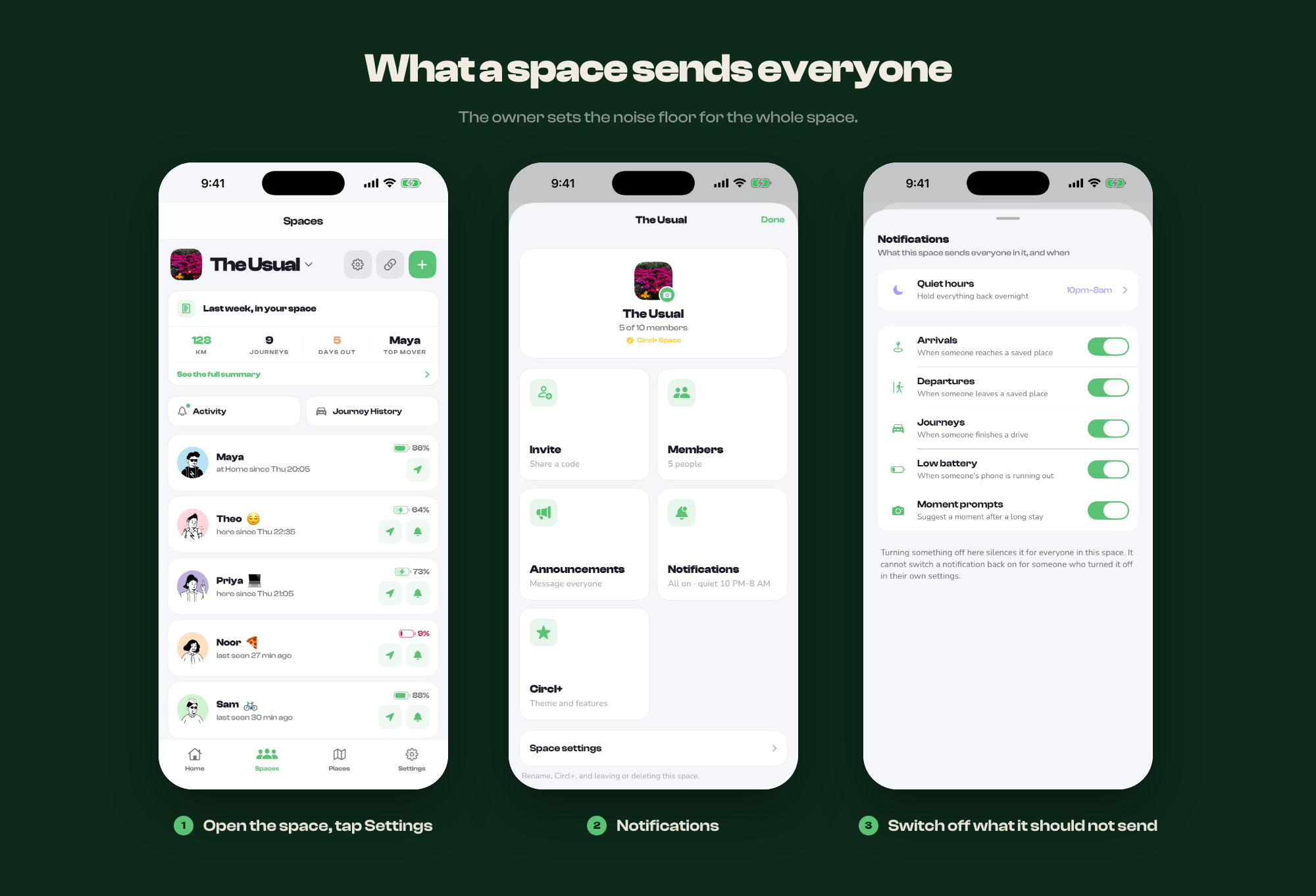
The five switches
- Arrivals - when someone reaches a saved place
- Departures - when someone leaves a saved place
- Journeys - when someone finishes a drive
- Low battery - when someone's phone is running out
- Moment prompts - the suggestion to add a moment after a long stay
All five are on until somebody turns them off, including in spaces that are older than the feature.
They can only take a notification away
This is the part people get wrong. A switch here silences that kind for everyone in the space. It cannot switch a notification back on for somebody who turned it off in their own notification settings.
The two are read together, and both have to say yes. So if one person is not receiving arrivals while everyone else is, the space is not the reason - check their own settings, and check whether they have muted someone.
How this differs from the other controls
There are four layers, from widest to narrowest:
- Space notifications - off for everyone in this space
- Quiet hours - off for everyone, between two times
- A quiet place - off at one location
- Your own settings - off for you, everywhere
Reach for the narrowest one that solves the problem. Turning arrivals off for the whole space because one place is noisy will quietly cost everybody the alerts they wanted.