
Joining a space
How invites work, and what happens when you join.
Spaces are invite-only. Someone already in the space generates an invite code and shares it with you.
Joining
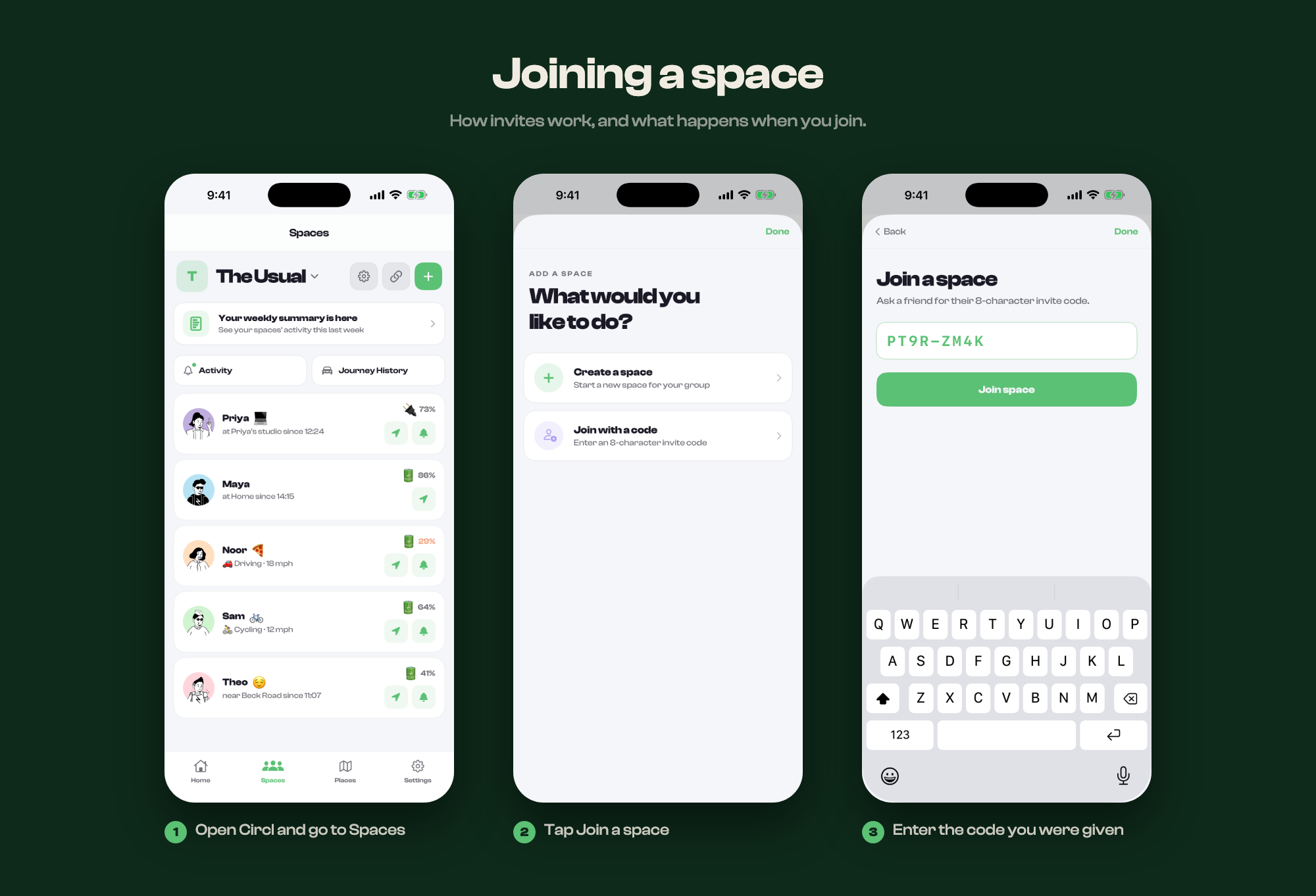
- Open Circl and go to Spaces
- Tap +, then Join
- Enter the 8-character code you were given
Codes expire, so if one does not work, ask for a fresh one rather than retyping it.
What the others see
The moment you join, everyone in the space can see:
- Your name and profile photo
- Your location, once you start sharing
- When you arrive at or leave a saved place
They cannot see your other spaces, or anyone in them.
Spaces are separate from one another. Being in two spaces does not connect the people in them, and they cannot see each other.