
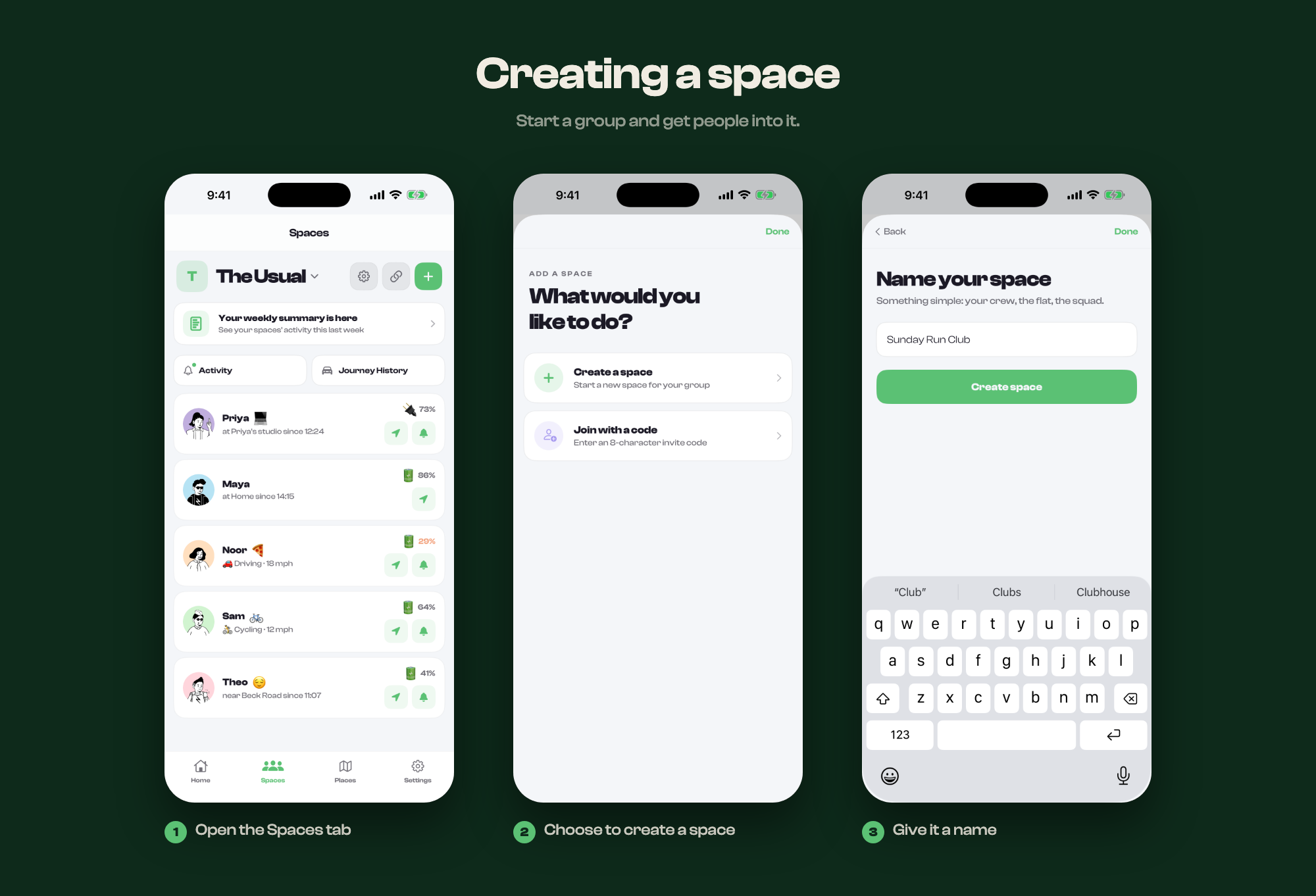
Creating a space
Start a group and get people into it.
A space is a small private group. Nothing in Circl is public, so a space is where everything happens: the map, places, moments and activity all belong to one.
Making one
- Open the Spaces tab
- Tap +, then Start
- Give it a name
You are the owner of any space you create.
Getting people in
New spaces are empty. Share the invite code from the space and whoever you give it to can join. Codes are short and not case sensitive, so reading one out over the phone works.
Anyone who joins can see the live map, the saved places and the activity for that space, from the moment they arrive. They cannot see anything from before they joined.
How many to have
Most people keep two or three: one for family, one for close friends, maybe one for a trip. Spaces do not overlap, and someone in one cannot see another.